Top2vec Tim Topic
Vọc vạch sơ top2vec, và bài toán tìm topic
Hôm nay mình sẽ chia sẻ hẳn 1 thư viện mà mình mới nghía qua gần đây về topic modeling và semantic search. Đó là top2vec (https://github.com/ddangelov/Top2Vec)
Chắc hẳn trong chúng ta đã từng nghe tới bài toán cluster về việc tìm topic modeling từ một đống các document. Yes, và hẳn gensim là 1 thư viện cực kì nổi tiếng.
Gensim đến với 2 thuật toán :
Latent Dirichlet Allocation and Probabilistic Latent Semantic Analysis
Dùng cấu trúc doc2vec để cấu hình cấu trúc dữ liệu.
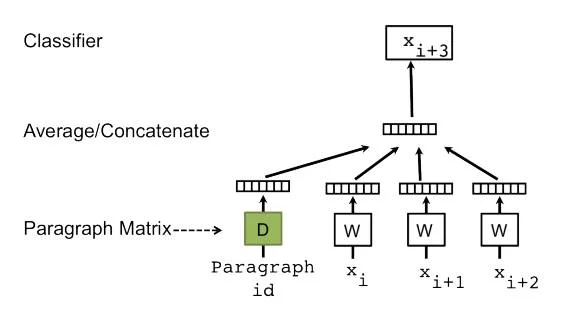
Tuy nhiên nó có hạn chế là phải giả định trước số topic, và phải dựa vào [bag-of-words representation] sẽ làm mất đi thứ tự và ngữ nghĩa của câu.
Top2Vec là thuật toán cho topic modeling và semantic search (search ngữ nghĩa). Nó tự động xác định topic dựa trên text, và sinh ra các khía cạnh như embedded topic, document và word vectors. Phải kể đến 1 số tính năng chính.
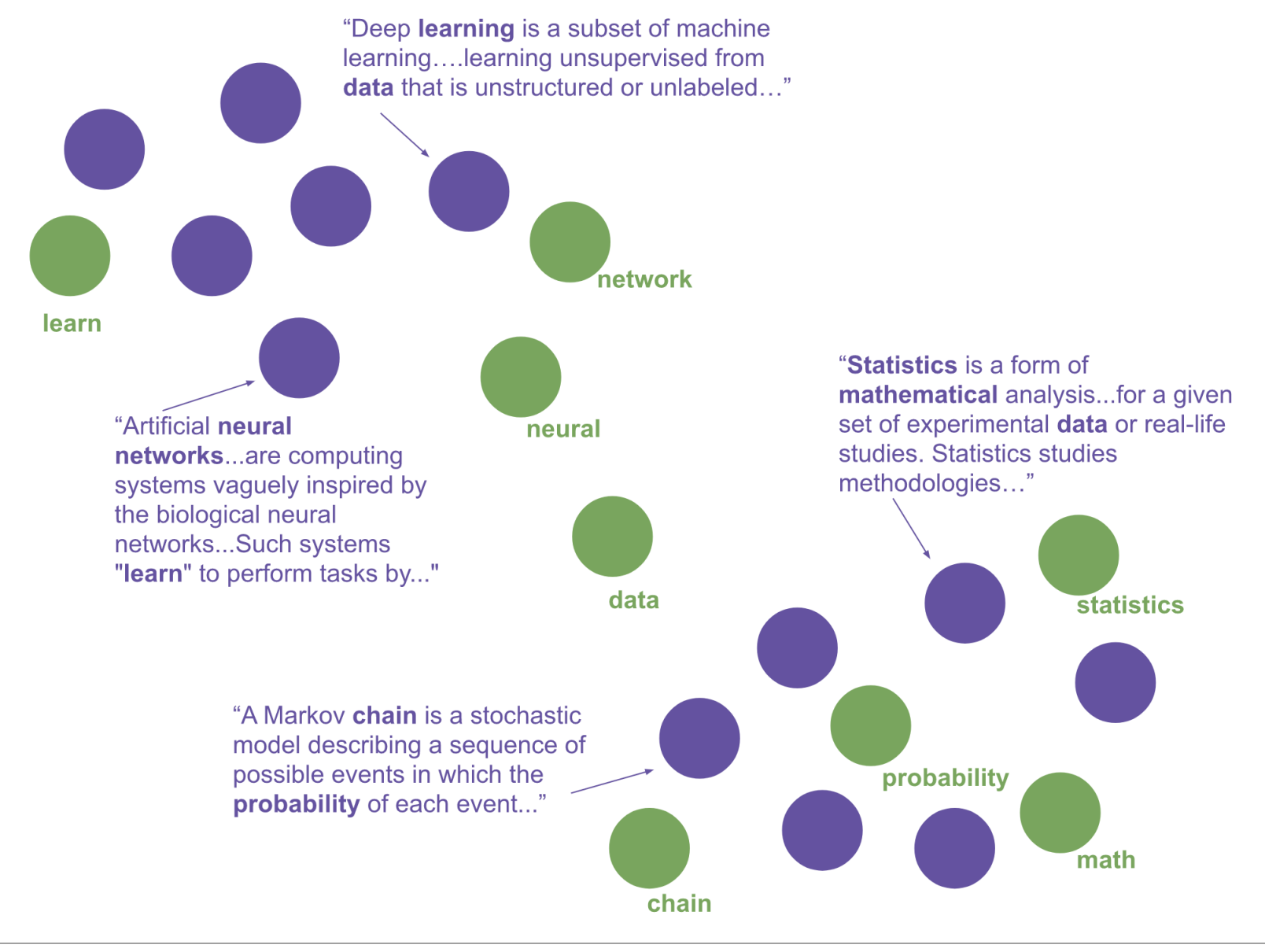
- Phát hiện ra số lượng topic phù hợp. lấy được topics và size of topic, các topic thừa kế nhau như thế nào, tìm topic bởi keyword, hay tìm document bởi topic hoặc keyword
- Tìm từ đồng nghĩa
- Tìm tài liệu tương tự
Pager:
https://arxiv.org/abs/2008.09470
Để thực hiện điều này, nó cần 3 bước:
1) Create Semantic Embedding
Nó cũng sử dụng doc2vec, hoặc bert model để tạo ra sematic embedding.
2) Reduce the dimensionality of the document embedding
Để viêc cluster trở nên hiệu quả, nó sử dụng UMAP cho việc giảm chiều của dữ liệu.
3) Identify clusters of documents
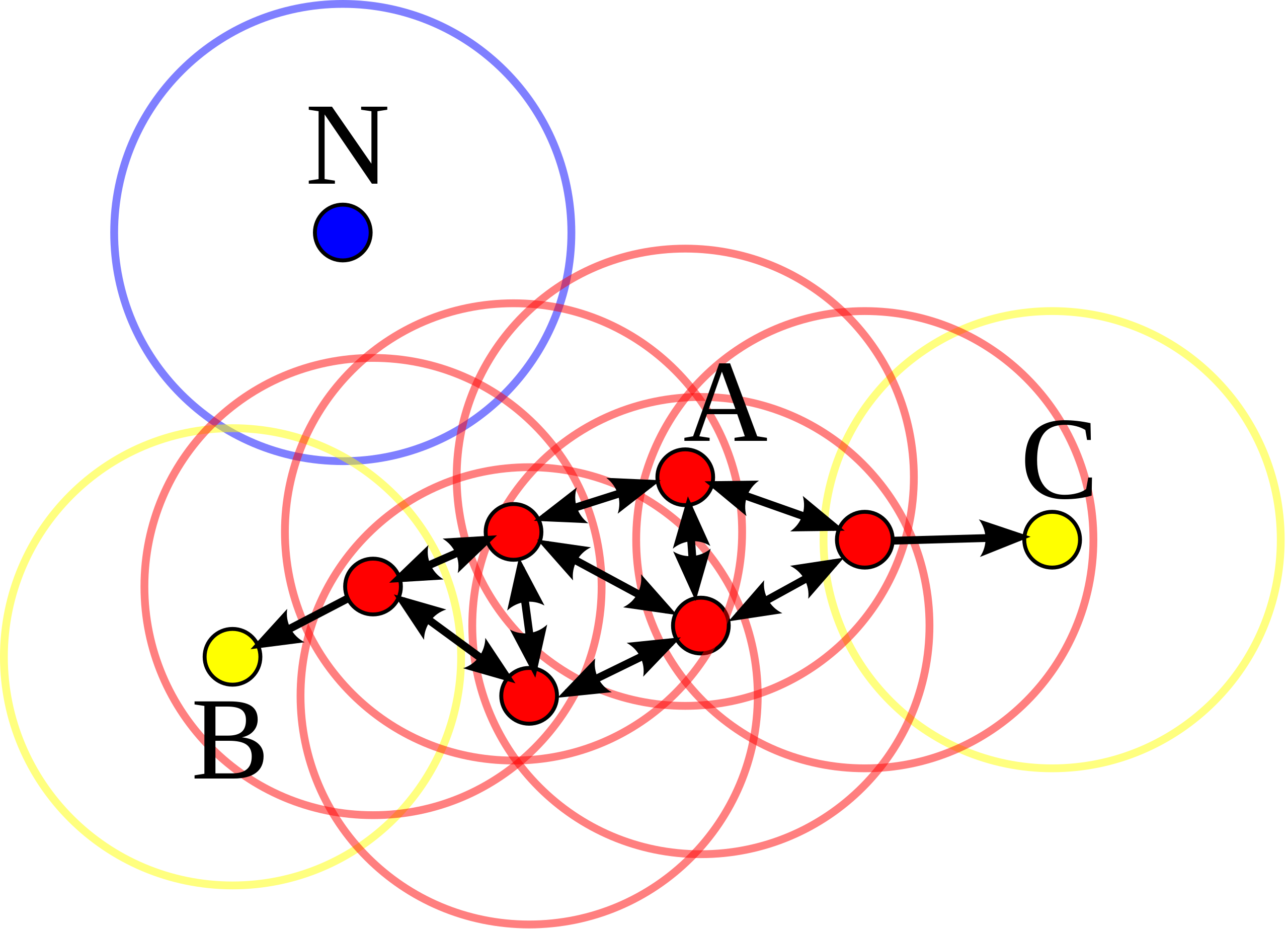
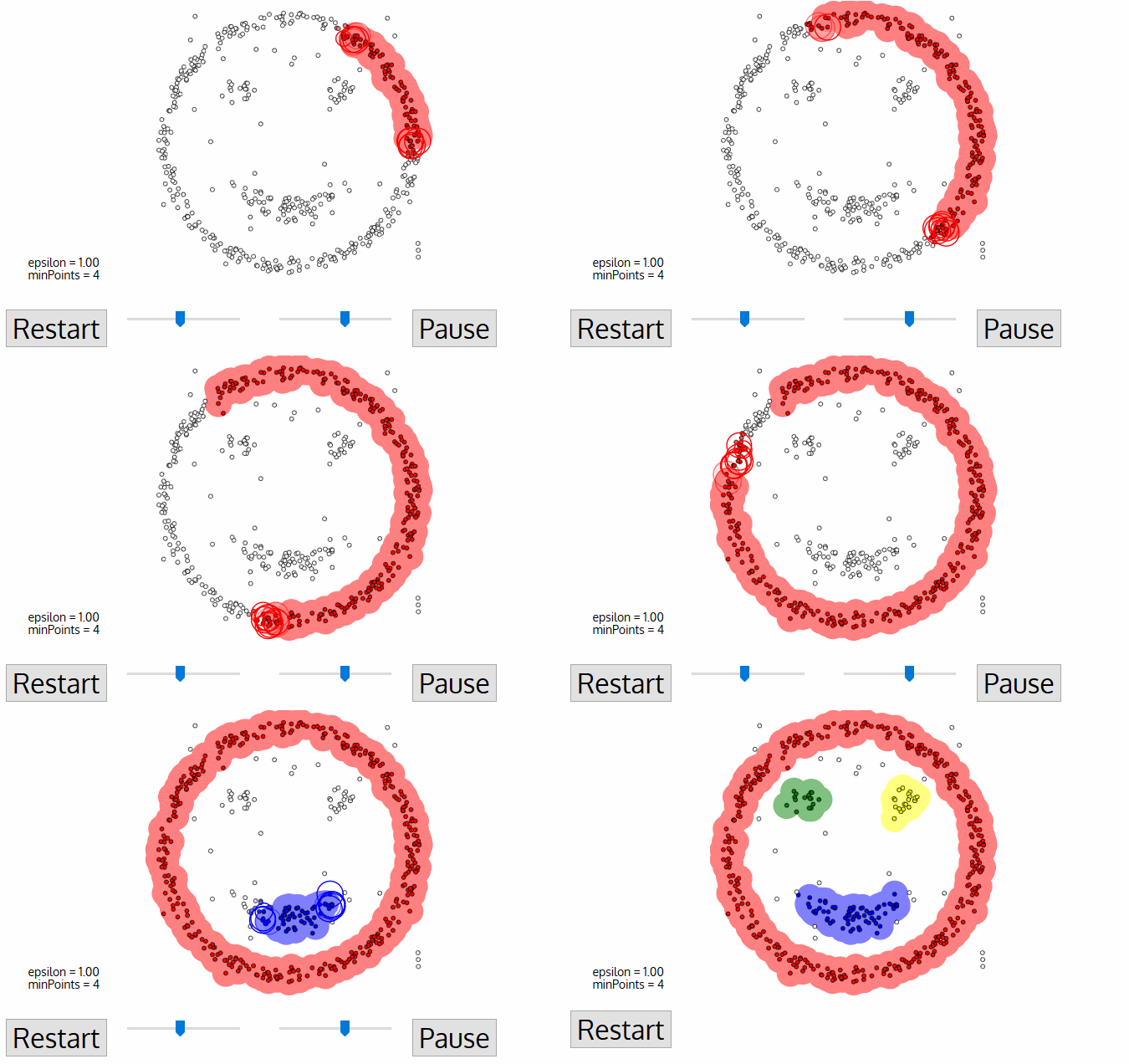
Nó sử dụng HDBSCAN để tìm ra dense areas (vùng có độ đậm đặc cao ),
DBSCAN(DB, distFunc, eps, minPts) {
    C := 0/* Cluster counter */for each point Pin database DB {
if label(P) ≠ undefinedthencontinue/* Previously processed in inner loop */
        Neighbors N := RangeQuery(DB, distFunc, P, eps)/* Find neighbors */if |N| < minPtsthen {/* Density check */
            label(P) := Noise/* Label as Noise */continue
        }
        C := C + 1/* next cluster label */
        label(P) := C/* Label initial point */
        SeedSet S := N \ {P}/* Neighbors to expand */for each point Qin S {/* Process every seed point Q */if label(Q) = Noisethen label(Q) := C/* Change Noise to border point */if label(Q) ≠ undefinedthencontinue/* Previously processed (e.g., border point) */
            label(Q) := C/* Label neighbor */
            Neighbors N := RangeQuery(DB, distFunc, Q, eps)/* Find neighbors */if |N| ≥ minPtsthen {/* Density check (if Q is a core point) */
                S := S ∪ N/* Add new neighbors to seed set */
            }
        }
    }
}
Giải thích thuật toán:
- Input Parameters:
DB: The database of data points you want to cluster.distFunc: The distance function used to measure the similarity or dissimilarity between data points.eps: The maximum radius (distance) within which a data point is considered a neighbor of another point.minPts: The minimum number of data points required within theepsradius for a point to be considered a core point.
- Initialization:
C: A variable used to keep track of the cluster counter.- The algorithm starts by initializing all data point labels as “undefined.”
- Main Loop:
- For each point
Pin the databaseDB, it checks whether the point has already been processed (labeled). If it has, it continues to the next point.
- For each point
- Range Query:
- It performs a range query to find the neighbors of the current point
Pwithin a radius ofepsusing the given distance functiondistFunc.
- It performs a range query to find the neighbors of the current point
- Density Check:
- If the number of neighbors found in the range query is less than
minPts, the pointPis labeled as “Noise” (an outlier) and the algorithm continues to the next point.
- If the number of neighbors found in the range query is less than
- Cluster Assignment:
- If there are at least
minPtsneighbors, it increments the cluster counterCand assigns the labelCto the current pointP. This point becomes the initial point of a new cluster.
- If there are at least
- Seed Set:
- A seed set
Sis initialized with the neighbors found in the range query, excluding the current pointP.
- A seed set
- Expanding the Cluster:
- For each point
Qin the seed setS, the algorithm checks whetherQwas previously labeled as “Noise.” If so, it changes its label to the cluster labelC. - If
Qwas already labeled with a cluster or is undefined, it continues to the next point in the seed set. - If
Qis neither noise nor previously processed, it assigns the cluster labelCto it. - A new range query is performed on
Qto find its neighbors. - If the number of neighbors found in this query is greater than or equal to
minPts, those neighbors are added to the seed setS.
- For each point
- The algorithm continues this process until all points in the database
DBhave been assigned to a cluster or labeled as noise.
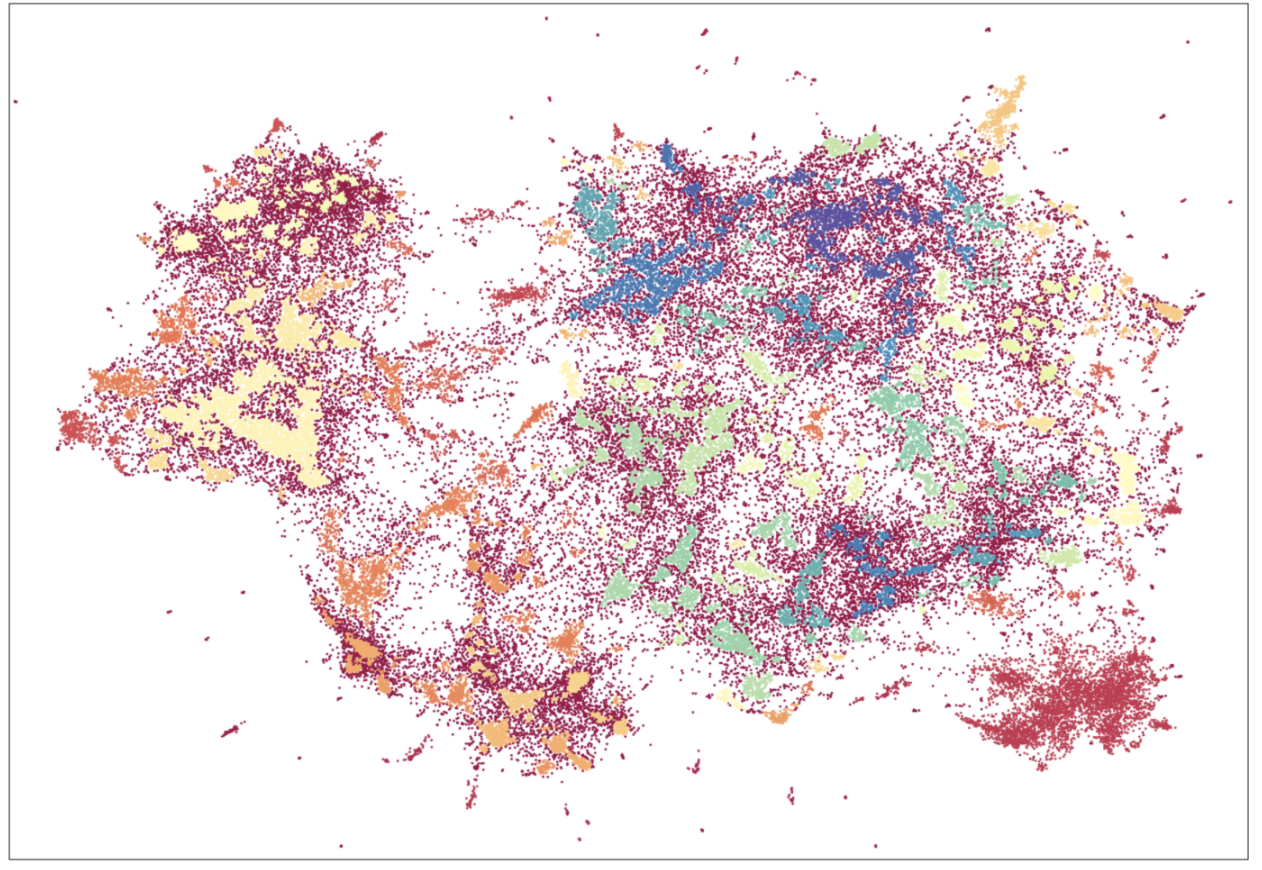
4) Calculate centroids in the original embedding space
Cách tìm các đỉnh trung tâm của cluster để quyết định dựa trên bằng việc dùng high dimensional space, tính toán mean của các document vector thuộc về các cùng có mật độ cao (dense area)
5) Find words for each topic vector
Các word vector gần với document vector sẽ là các từ đại diện cho topic.
Sample code tranning dùng top2vec
Lấy data tin tức, thật ra các bạn cũng có thể search trên mạng rất nhiều nguồn tin tức báo tiếng việt 😄, ở đây mình chỉ code ví dụ.
from regress_adapter import get_news_date

data = get_news_date('2022-01-01')
print(data.head())
title  \
0  Góc nhìn chuyên gia: Khả năng thị trường còn đ...
1  Vì sao vợ chồng tổng giám đốc CII muốn bán sạc...
2  Chứng khoán giảm 4 tuần liên tục, nhà đầu tư l...
3  Khải Hoàn Land (KHG) muốn chào bán riêng lẻ 18...
4  Đất Xanh Services (DXS) chốt ngày phát hành 12...

                                             content                date
0  \n\n\n\n\nTIN MỚI\n\n\n\n\n    Thị trường chứn... 2023-08-10 12:58:00
1  \n\n\n\n\r\n                    CII: \n\n\n\n\... 2023-09-10 09:35:00
2  \n\n\n\n\nTIN MỚI\n\n\n\n\n\nKhông phục hồi nh... 2023-07-10 19:01:00
3  \n\n\n\n\r\n                    KHG: \n\n\n\n\... 2023-06-10 10:20:00
4  \n\n\n\n\r\n                    DXS: \n\n\n\n\... 2023-05-10 01:00:00
t = data['title'] + data['content']
data_list = t.to_list()
Các function xử lí bóc tách từ và loại bỏ các dấu câu lung tung 😃
(Dùng underthesea để tách cho chuẩn nhe)
import re
import helper
import numpy as np
from importlib import reload
from underthesea import word_tokenize

reload(helper)

def segmentation(text):
    try:
        return word_tokenize(text, format="text")
    except (TypeError, AttributeError):
        return ''

def split_words(post, return_type='sentence'):
    texts = segmentation(post)
    try:
        t = [str(x.strip('0123456789%@$.,=+-!;/()*"&^:#|\n\t\' ').lower()) for x in texts.split()]
        filtered_list = [item for item in t if item != ""]
        if return_type == 'token':
            return filtered_list
        elif return_type == 'sentence':
            return ' '.join(filtered_list)

    except TypeError:
        return []

def split_tokens(post):
    return split_words(post, return_type='token')
Xóa bớt các đoạn văn bị rỗng (1 thao tác làm sạch dữ liệu ) 😄
X_2 = [words for words in map(split_words, data_list) if len(words) > 0]
Đoạn code training cực kì quan trọng
model = Top2Vec(X_2, embedding_model="distiluse-base-multilingual-cased", speed = "learn", tokenizer=split_tokens)
Save model lại để dùng lại nhé
# write code save model to file
model.save('./cached/top2vec.model')
Lấy số topic
num_topic = model.get_num_topics()
print(num_topic)
47
Lấy topic size và topic index
topic_sizes, topic_nums = model.get_topic_sizes()
print(topic_sizes, topic_nums)
[999 600 422 397 346 344 307 305 293 290 265 258 254 228 227 210 194 182
 166 159 147 144 136 130 119 115 105 100  91  89  89  80  79  73  70  66
  62  57  50  47  47  44  42  38  34  32  23] [ 0  1  2  3  4  5  6  7  8  9 10 11 12 13 14 15 16 17 18 19 20 21 22 23
 24 25 26 27 28 29 30 31 32 33 34 35 36 37 38 39 40 41 42 43 44 45 46]
Search topic dựa trên keyword nhé mọi người
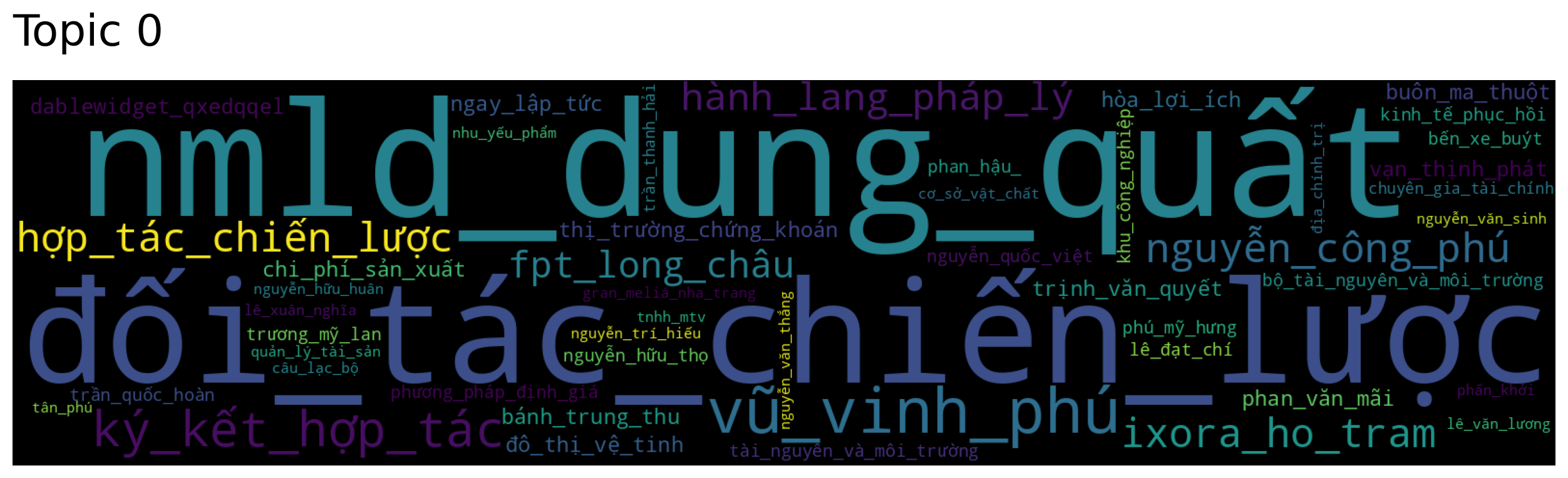
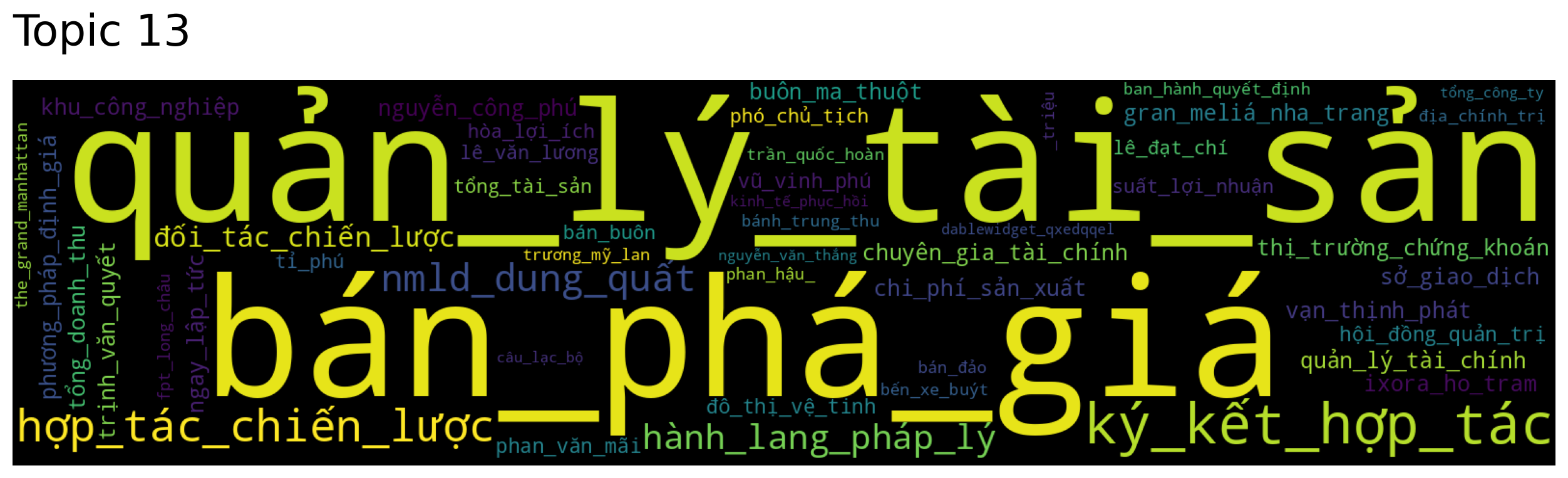
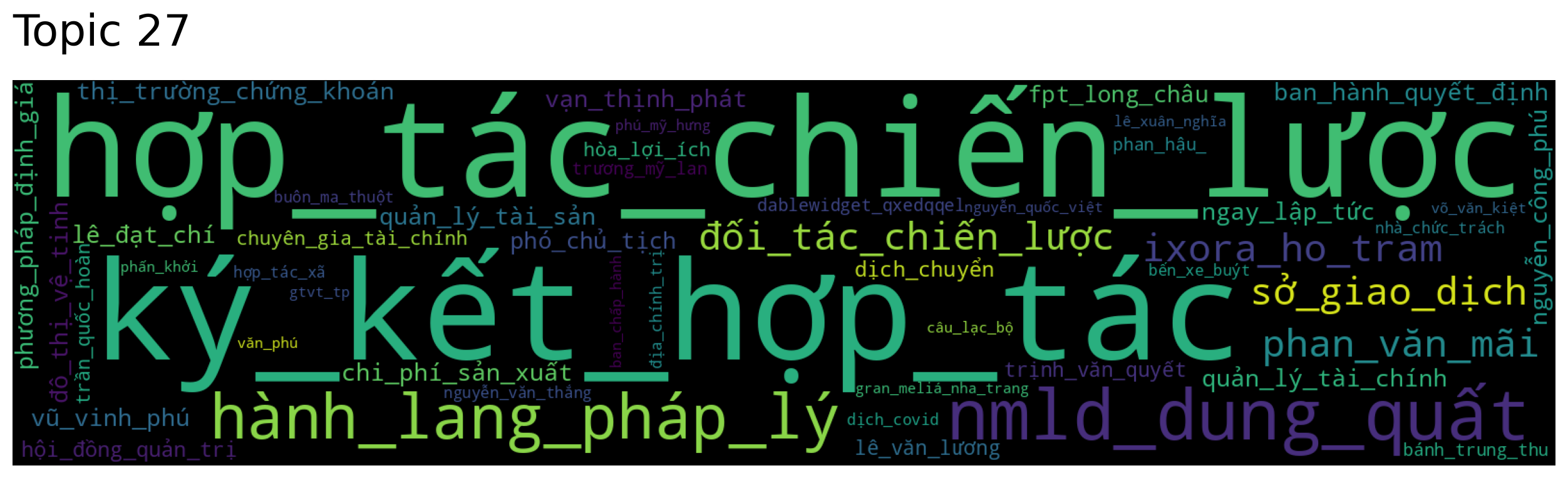
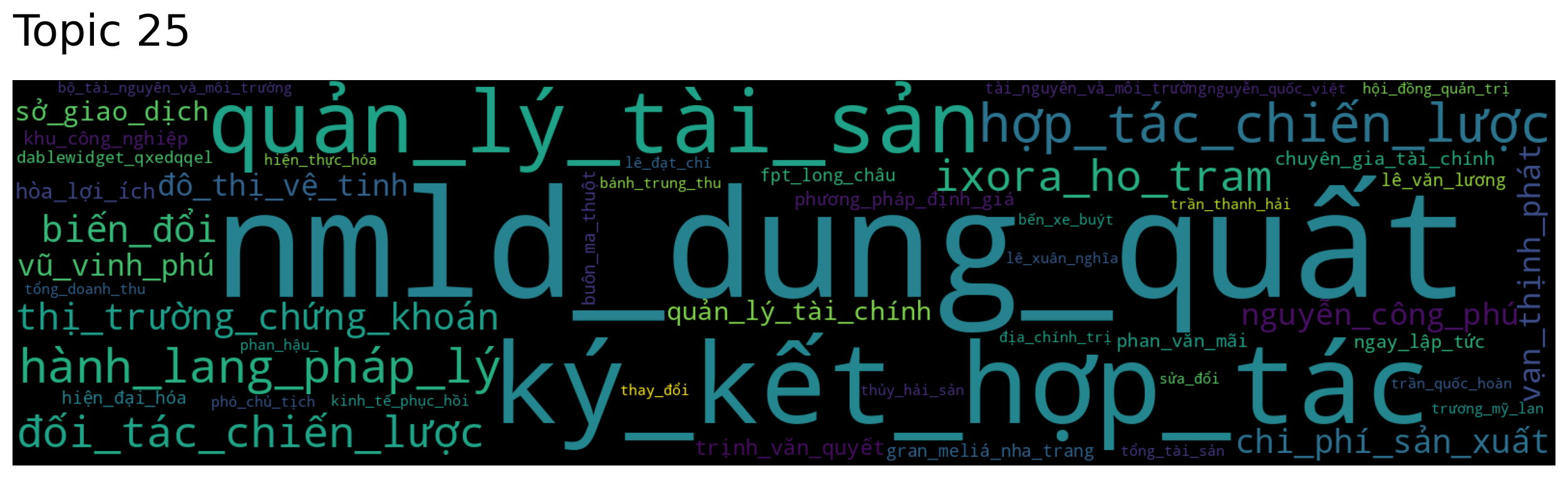
topic_words, word_scores, topic_scores, topic_nums = model.search_topics(keywords=["chứng_khoán"], num_topics=5)
for topic in topic_nums:
    model.generate_topic_wordcloud(topic)