Download video vimeo private !
Press play video and open inspect element, choose iframe vimeo like.
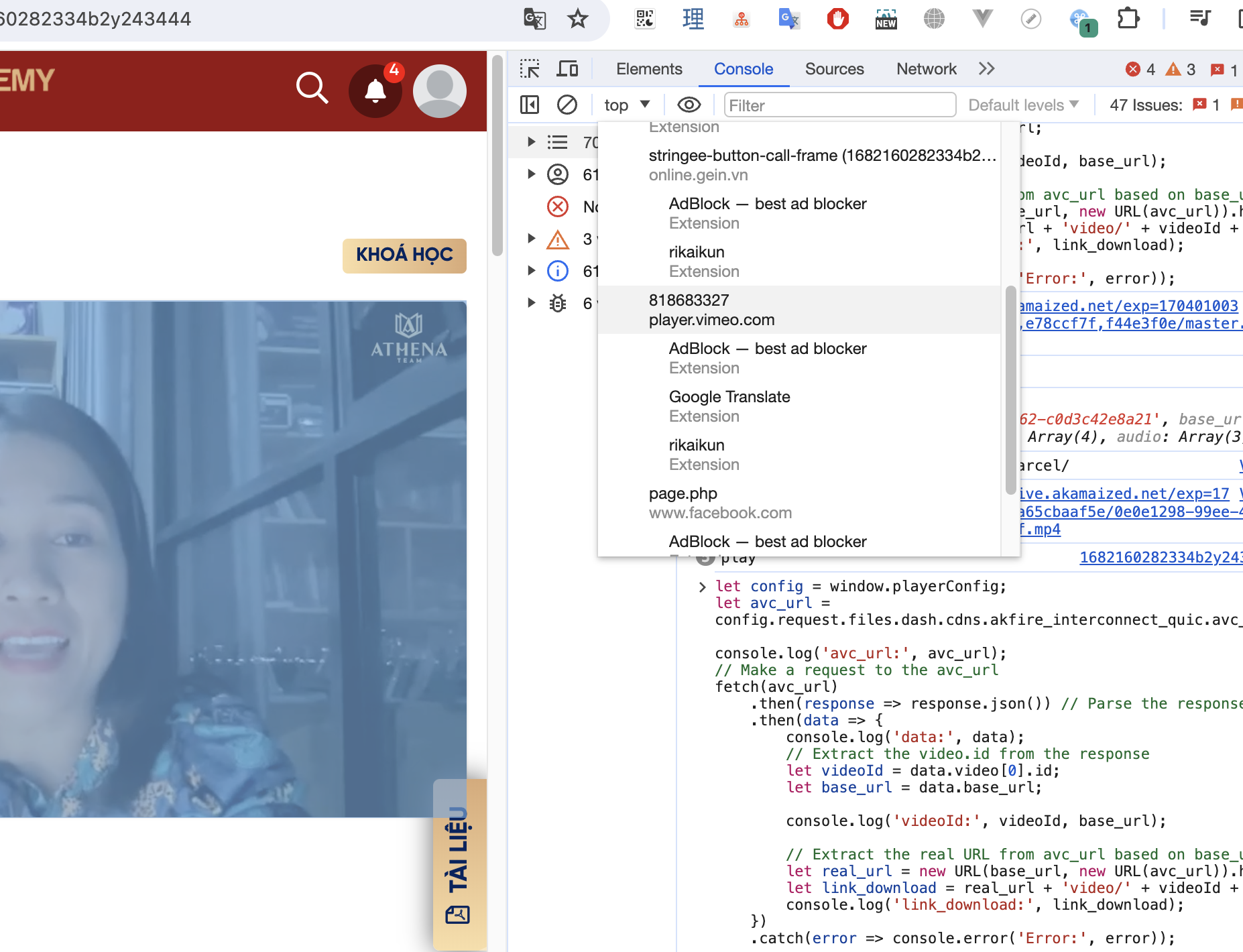
Code for get link download video.
Copy this code and paste to console tab, it give you a link download video.
let config = window.playerConfig;
let avc_url = config.request.files.dash.cdns.akfire_interconnect_quic.avc_url;

console.log('avc_url:', avc_url);
// Make a request to the avc_url
fetch(avc_url)
    .then(response => response.json()) // Parse the response as JSON
    .then(data => {
        console.log('data:', data);
        // Extract the video.id from the response
        let videoId = data.video[0].id;
        let base_url = data.base_url;

        console.log('videoId:', videoId, base_url);

        // Extract the real URL from avc_url based on base_url
        let real_url = new URL(base_url, new URL(avc_url)).href;
        let link_download = real_url + 'video/' + videoId + '.mp4';
        console.log('link_download:', link_download);
    })
    .catch(error => console.error('Error:', error));
Tada, we have a link download video.
